

Path: blob/master/guides/keras_hub/classification_with_keras_hub.py
8454 views
"""1Title: Image Classification with KerasHub2Author: [Gowtham Paimagam](https://github.com/gowthamkpr), [lukewood](https://lukewood.xyz)3Date created: 09/24/20244Last modified: 10/04/20245Description: Use KerasHub to train powerful image classifiers.6Accelerator: GPU7"""89"""10Classification is the process of predicting a categorical label for a given11input image.12While classification is a relatively straightforward computer vision task,13modern approaches still are built of several complex components.14Luckily, Keras provides APIs to construct commonly used components.1516This guide demonstrates KerasHub's modular approach to solving image17classification problems at three levels of complexity:1819- Inference with a pretrained classifier20- Fine-tuning a pretrained backbone21- Training a image classifier from scratch2223KerasHub uses Keras 3 to work with any of TensorFlow, PyTorch or Jax. In the24guide below, we will use the `jax` backend. This guide runs in25TensorFlow or PyTorch backends with zero changes, simply update the26`KERAS_BACKEND` below.2728We use Professor Keras, the official Keras mascot, as a29visual reference for the complexity of the material:3031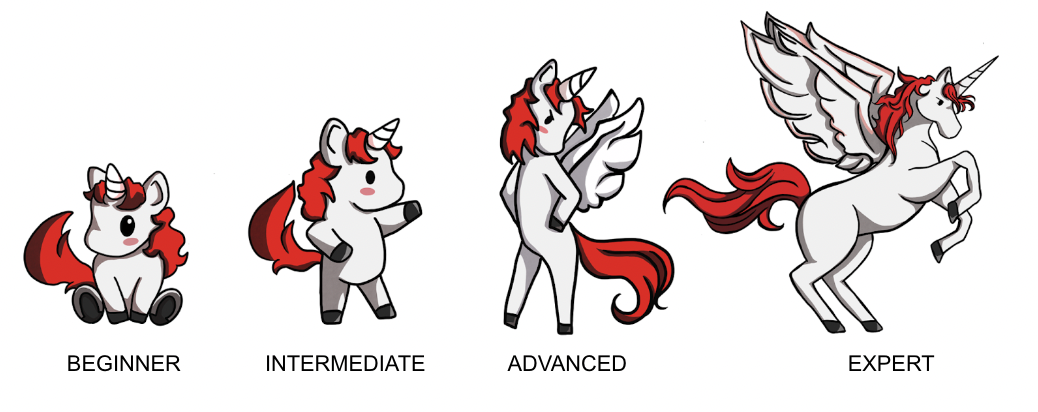32"""3334"""shell35!pip install -q git+https://github.com/keras-team/keras-hub.git36!pip install -q --upgrade keras # Upgrade to Keras 3.37"""3839import os4041os.environ["KERAS_BACKEND"] = "jax" # @param ["tensorflow", "jax", "torch"]4243import math44import numpy as np45import matplotlib.pyplot as plt4647import keras48from keras import losses49from keras import ops50from keras import optimizers51from keras.optimizers import schedules52from keras import metrics53from keras.applications.imagenet_utils import decode_predictions54import keras_hub5556# Import tensorflow for `tf.data` and its preprocessing functions57import tensorflow as tf58import tensorflow_datasets as tfds5960"""61## Inference with a pretrained classifier62636465Let's get started with the simplest KerasHub API: a pretrained classifier.66In this example, we will construct a classifier that was67pretrained on the ImageNet dataset.68We'll use this model to solve the age old "Cat or Dog" problem.6970The highest level module in KerasHub is a *task*. A *task* is a `keras.Model`71consisting of a (generally pretrained) backbone model and task-specific layers.72Here's an example using `keras_hub.models.ImageClassifier` with an73ResNet Backbone.7475ResNet is a great starting model when constructing an image76classification pipeline.77This architecture manages to achieve high accuracy, while using a78compact parameter count.79If a ResNet is not powerful enough for the task you are hoping to80solve, be sure to check out81[KerasHub's other available Backbones](https://github.com/keras-team/keras-hub/tree/master/keras_hub/src/models)!82"""8384classifier = keras_hub.models.ImageClassifier.from_preset("resnet_v2_50_imagenet")8586"""87You may notice a small deviation from the old `keras.applications` API; where88you would construct the class with `Resnet50V2(weights="imagenet")`.89While the old API was great for classification, it did not scale effectively to90other use cases that required complex architectures, like object detection and91semantic segmentation.9293We first create a utility function for plotting images throughout this tutorial:94"""959697def plot_image_gallery(images, titles=None, num_cols=3, figsize=(6, 12)):98num_images = len(images)99images = np.asarray(images) / 255.0100images = np.minimum(np.maximum(images, 0.0), 1.0)101num_rows = (num_images + num_cols - 1) // num_cols102fig, axes = plt.subplots(num_rows, num_cols, figsize=figsize, squeeze=False)103axes = axes.flatten() # Flatten in case the axes is a 2D array104105for i, ax in enumerate(axes):106if i < num_images:107# Plot the image108ax.imshow(images[i])109ax.axis("off") # Remove axis110if titles and len(titles) > i:111ax.set_title(titles[i], fontsize=12)112else:113# Turn off the axis for any empty subplot114ax.axis("off")115116plt.show()117plt.close()118119120"""121Now that our classifier is built, let's apply it to this cute cat picture!122"""123124filepath = keras.utils.get_file(125origin="https://upload.wikimedia.org/wikipedia/commons/thumb/4/49/5hR96puA_VA.jpg/1024px-5hR96puA_VA.jpg"126)127image = keras.utils.load_img(filepath)128image = np.array([image])129plot_image_gallery(image, num_cols=1, figsize=(3, 3))130131"""132Next, let's get some predictions from our classifier:133"""134135predictions = classifier.predict(image)136137"""138Predictions come in the form of softmax-ed category rankings.139We can use Keras' `imagenet_utils.decode_predictions` function to map140them to class names:141"""142143print(f"Top two classes are:\n{decode_predictions(predictions, top=2)}")144145"""146Great! Both of these appear to be correct!147However, one of the classes is "Bath towel".148We're trying to classify Cats VS Dogs.149We don't care about the towel!150151Ideally, we'd have a classifier that only performs computation to determine if152an image is a cat or a dog, and has all of its resources dedicated to this task.153This can be solved by fine tuning our own classifier.154155## Fine tuning a pretrained classifier156157158159When labeled images specific to our task are available, fine-tuning a custom160classifier can improve performance.161If we want to train a Cats vs Dogs Classifier, using explicitly labeled Cat vs162Dog data should perform better than the generic classifier!163For many tasks, no relevant pretrained model164will be available (e.g., categorizing images specific to your application).165166First, let's get started by loading some data:167"""168169BATCH_SIZE = 32170IMAGE_SIZE = (224, 224)171AUTOTUNE = tf.data.AUTOTUNE172tfds.disable_progress_bar()173174data, dataset_info = tfds.load("cats_vs_dogs", with_info=True, as_supervised=True)175train_steps_per_epoch = dataset_info.splits["train"].num_examples // BATCH_SIZE176train_dataset = data["train"]177178num_classes = dataset_info.features["label"].num_classes179180resizing = keras.layers.Resizing(181IMAGE_SIZE[0], IMAGE_SIZE[1], crop_to_aspect_ratio=True182)183184185def preprocess_inputs(image, label):186image = tf.cast(image, tf.float32)187# Staticly resize images as we only iterate the dataset once.188return resizing(image), tf.one_hot(label, num_classes)189190191# Shuffle the dataset to increase diversity of batches.192# 10*BATCH_SIZE follows the assumption that bigger machines can handle bigger193# shuffle buffers.194train_dataset = train_dataset.shuffle(19510 * BATCH_SIZE, reshuffle_each_iteration=True196).map(preprocess_inputs, num_parallel_calls=AUTOTUNE)197train_dataset = train_dataset.batch(BATCH_SIZE)198199images = next(iter(train_dataset.take(1)))[0]200plot_image_gallery(images)201202"""203Meow!204205Next let's construct our model.206The use of imagenet in the preset name indicates that the backbone was207pretrained on the ImageNet dataset.208Pretrained backbones extract more information from our labeled examples by209leveraging patterns extracted from potentially much larger datasets.210211Next lets put together our classifier:212"""213214model = keras_hub.models.ImageClassifier.from_preset(215"resnet_v2_50_imagenet", num_classes=2216)217model.compile(218loss="categorical_crossentropy",219optimizer=keras.optimizers.SGD(learning_rate=0.01),220metrics=["accuracy"],221)222223"""224Here our classifier is just a simple `keras.Sequential`.225All that is left to do is call `model.fit()`:226"""227228model.fit(train_dataset)229230231"""232Let's look at how our model performs after the fine tuning:233"""234235predictions = model.predict(image)236237classes = {0: "cat", 1: "dog"}238print("Top class is:", classes[predictions[0].argmax()])239240"""241Awesome - looks like the model correctly classified the image.242"""243244"""245## Train a Classifier from Scratch246247248249Now that we've gotten our hands dirty with classification, let's take on one250last task: training a classification model from scratch!251A standard benchmark for image classification is the ImageNet dataset, however252due to licensing constraints we will use the CalTech 101 image classification253dataset in this tutorial.254While we use the simpler CalTech 101 dataset in this guide, the same training255template may be used on ImageNet to achieve near state-of-the-art scores.256257Let's start out by tackling data loading:258"""259260BATCH_SIZE = 32261NUM_CLASSES = 101262IMAGE_SIZE = (224, 224)263264# Change epochs to 100~ to fully train.265EPOCHS = 1266267268def package_inputs(image, label):269return {"images": image, "labels": tf.one_hot(label, NUM_CLASSES)}270271272train_ds, eval_ds = tfds.load(273"caltech101", split=["train", "test"], as_supervised="true"274)275train_ds = train_ds.map(package_inputs, num_parallel_calls=tf.data.AUTOTUNE)276eval_ds = eval_ds.map(package_inputs, num_parallel_calls=tf.data.AUTOTUNE)277278train_ds = train_ds.shuffle(BATCH_SIZE * 16)279augmenters = []280281"""282The CalTech101 dataset has different sizes for every image, so we resize images before283batching them using the284`batch()` API.285"""286287resize = keras.layers.Resizing(*IMAGE_SIZE, crop_to_aspect_ratio=True)288train_ds = train_ds.map(resize)289eval_ds = eval_ds.map(resize)290291train_ds = train_ds.batch(BATCH_SIZE)292eval_ds = eval_ds.batch(BATCH_SIZE)293294batch = next(iter(train_ds.take(1)))295image_batch = batch["images"]296label_batch = batch["labels"]297298plot_image_gallery(299image_batch,300)301302"""303### Data Augmentation304305In our previous finetuning example, we performed a static resizing operation and306did not utilize any image augmentation.307This is because a single pass over the training set was sufficient to achieve308decent results.309When training to solve a more difficult task, you'll want to include data310augmentation in your data pipeline.311312Data augmentation is a technique to make your model robust to changes in input313data such as lighting, cropping, and orientation.314Keras includes some of the most useful augmentations in the `keras.layers`315API.316Creating an optimal pipeline of augmentations is an art, but in this section of317the guide we'll offer some tips on best practices for classification.318319One caveat to be aware of with image data augmentation is that you must be careful320to not shift your augmented data distribution too far from the original data321distribution.322The goal is to prevent overfitting and increase generalization,323but samples that lie completely out of the data distribution simply add noise to324the training process.325326The first augmentation we'll use is `RandomFlip`.327This augmentation behaves more or less how you'd expect: it either flips the328image or not.329While this augmentation is useful in CalTech101 and ImageNet, it should be noted330that it should not be used on tasks where the data distribution is not vertical331mirror invariant.332An example of a dataset where this occurs is MNIST hand written digits.333Flipping a `6` over the334vertical axis will make the digit appear more like a `7` than a `6`, but the335label will still show a `6`.336"""337338random_flip = keras.layers.RandomFlip()339augmenters += [random_flip]340341image_batch = random_flip(image_batch)342plot_image_gallery(image_batch)343344"""345Half of the images have been flipped!346347The next augmentation we'll use is `RandomCrop`.348This operation selects a random subset of the image.349By using this augmentation, we force our classifier to become spatially invariant.350351Let's add a `RandomCrop` to our set of augmentations:352"""353354crop = keras.layers.RandomCrop(355int(IMAGE_SIZE[0] * 0.9),356int(IMAGE_SIZE[1] * 0.9),357)358359augmenters += [crop]360361image_batch = crop(image_batch)362plot_image_gallery(363image_batch,364)365366"""367We can also rotate images by a random angle using Keras' `RandomRotation` layer. Let's368apply a rotation by a randomly selected angle in the interval -45°...45°:369"""370371rotate = keras.layers.RandomRotation((-45 / 360, 45 / 360))372373augmenters += [rotate]374375image_batch = rotate(image_batch)376plot_image_gallery(image_batch)377378resize = keras.layers.Resizing(*IMAGE_SIZE, crop_to_aspect_ratio=True)379augmenters += [resize]380381image_batch = resize(image_batch)382plot_image_gallery(image_batch)383384"""385Now let's apply our final augmenter to the training data:386"""387388389def create_augmenter_fn(augmenters):390def augmenter_fn(inputs):391for augmenter in augmenters:392inputs["images"] = augmenter(inputs["images"])393return inputs394395return augmenter_fn396397398augmenter_fn = create_augmenter_fn(augmenters)399train_ds = train_ds.map(augmenter_fn, num_parallel_calls=tf.data.AUTOTUNE)400401image_batch = next(iter(train_ds.take(1)))["images"]402plot_image_gallery(403image_batch,404)405406"""407We also need to resize our evaluation set to get dense batches of the image size408expected by our model. We directly use the deterministic `keras.layers.Resizing` in409this case to avoid adding noise to our evaluation metric due to applying random410augmentations.411"""412413inference_resizing = keras.layers.Resizing(*IMAGE_SIZE, crop_to_aspect_ratio=True)414415416def do_resize(inputs):417inputs["images"] = inference_resizing(inputs["images"])418return inputs419420421eval_ds = eval_ds.map(do_resize, num_parallel_calls=tf.data.AUTOTUNE)422423image_batch = next(iter(eval_ds.take(1)))["images"]424plot_image_gallery(425image_batch,426)427428"""429Finally, lets unpackage our datasets and prepare to pass them to `model.fit()`,430which accepts a tuple of `(images, labels)`.431"""432433434def unpackage_dict(inputs):435return inputs["images"], inputs["labels"]436437438train_ds = train_ds.map(unpackage_dict, num_parallel_calls=tf.data.AUTOTUNE)439eval_ds = eval_ds.map(unpackage_dict, num_parallel_calls=tf.data.AUTOTUNE)440441"""442Data augmentation is by far the hardest piece of training a modern443classifier.444Congratulations on making it this far!445446### Optimizer Tuning447448To achieve optimal performance, we need to use a learning rate schedule instead449of a single learning rate. While we won't go into detail on the Cosine decay450with warmup schedule used here,451[you can read more about it here](https://scorrea92.medium.com/cosine-learning-rate-decay-e8b50aa455b).452"""453454455def lr_warmup_cosine_decay(456global_step,457warmup_steps,458hold=0,459total_steps=0,460start_lr=0.0,461target_lr=1e-2,462):463# Cosine decay464learning_rate = (4650.5466* target_lr467* (4681469+ ops.cos(470math.pi471* ops.convert_to_tensor(472global_step - warmup_steps - hold, dtype="float32"473)474/ ops.convert_to_tensor(475total_steps - warmup_steps - hold, dtype="float32"476)477)478)479)480481warmup_lr = target_lr * (global_step / warmup_steps)482483if hold > 0:484learning_rate = ops.where(485global_step > warmup_steps + hold, learning_rate, target_lr486)487488learning_rate = ops.where(global_step < warmup_steps, warmup_lr, learning_rate)489return learning_rate490491492class WarmUpCosineDecay(schedules.LearningRateSchedule):493def __init__(self, warmup_steps, total_steps, hold, start_lr=0.0, target_lr=1e-2):494super().__init__()495self.start_lr = start_lr496self.target_lr = target_lr497self.warmup_steps = warmup_steps498self.total_steps = total_steps499self.hold = hold500501def __call__(self, step):502lr = lr_warmup_cosine_decay(503global_step=step,504total_steps=self.total_steps,505warmup_steps=self.warmup_steps,506start_lr=self.start_lr,507target_lr=self.target_lr,508hold=self.hold,509)510return ops.where(step > self.total_steps, 0.0, lr)511512513"""514515516The schedule looks a as we expect.517518Next let's construct this optimizer:519"""520521total_images = 9000522total_steps = (total_images // BATCH_SIZE) * EPOCHS523warmup_steps = int(0.1 * total_steps)524hold_steps = int(0.45 * total_steps)525schedule = WarmUpCosineDecay(526start_lr=0.05,527target_lr=1e-2,528warmup_steps=warmup_steps,529total_steps=total_steps,530hold=hold_steps,531)532optimizer = optimizers.SGD(533weight_decay=5e-4,534learning_rate=schedule,535momentum=0.9,536)537538"""539At long last, we can now build our model and call `fit()`!540Here, we directly instantiate our `ResNetBackbone`, specifying all architectural541parameters, which gives us full control to tweak the architecture.542"""543544backbone = keras_hub.models.ResNetBackbone(545input_conv_filters=[64],546input_conv_kernel_sizes=[7],547stackwise_num_filters=[64, 64, 64],548stackwise_num_blocks=[2, 2, 2],549stackwise_num_strides=[1, 2, 2],550block_type="basic_block",551)552model = keras.Sequential(553[554backbone,555keras.layers.GlobalMaxPooling2D(),556keras.layers.Dropout(rate=0.5),557keras.layers.Dense(101, activation="softmax"),558]559)560561"""562We employ label smoothing to prevent the model from overfitting to artifacts of563our augmentation process.564"""565566loss = losses.CategoricalCrossentropy(label_smoothing=0.1)567568"""569Let's compile our model:570"""571572model.compile(573loss=loss,574optimizer=optimizer,575metrics=[576metrics.CategoricalAccuracy(),577metrics.TopKCategoricalAccuracy(k=5),578],579)580581"""582and finally call fit().583"""584585model.fit(586train_ds,587epochs=EPOCHS,588validation_data=eval_ds,589)590591"""592Congratulations! You now know how to train a powerful image classifier from593scratch using KerasHub.594Depending on the availability of labeled data for your application, training595from scratch may or may not be more powerful than using transfer learning in596addition to the data augmentations discussed above. For smaller datasets,597pretrained models generally produce high accuracy and faster convergence.598"""599600"""601## Conclusions602603While image classification is perhaps the simplest problem in computer vision,604the modern landscape has numerous complex components.605Luckily, KerasHub offers robust, production-grade APIs to make assembling most606of these components possible in one line of code.607Through the use of KerasHub's `ImageClassifier` API, pretrained weights, and608Keras' data augmentations you can assemble everything you need to train a609powerful classifier in a few hundred lines of code!610611As a follow up exercise, try fine tuning a KerasHub classifier on your own dataset!612"""613614615